Saved views
Ready-made views include Unreconciled, Uncategorised, Money in, Money out and This month. Filter by status, account or date range, then Save view to reuse it.


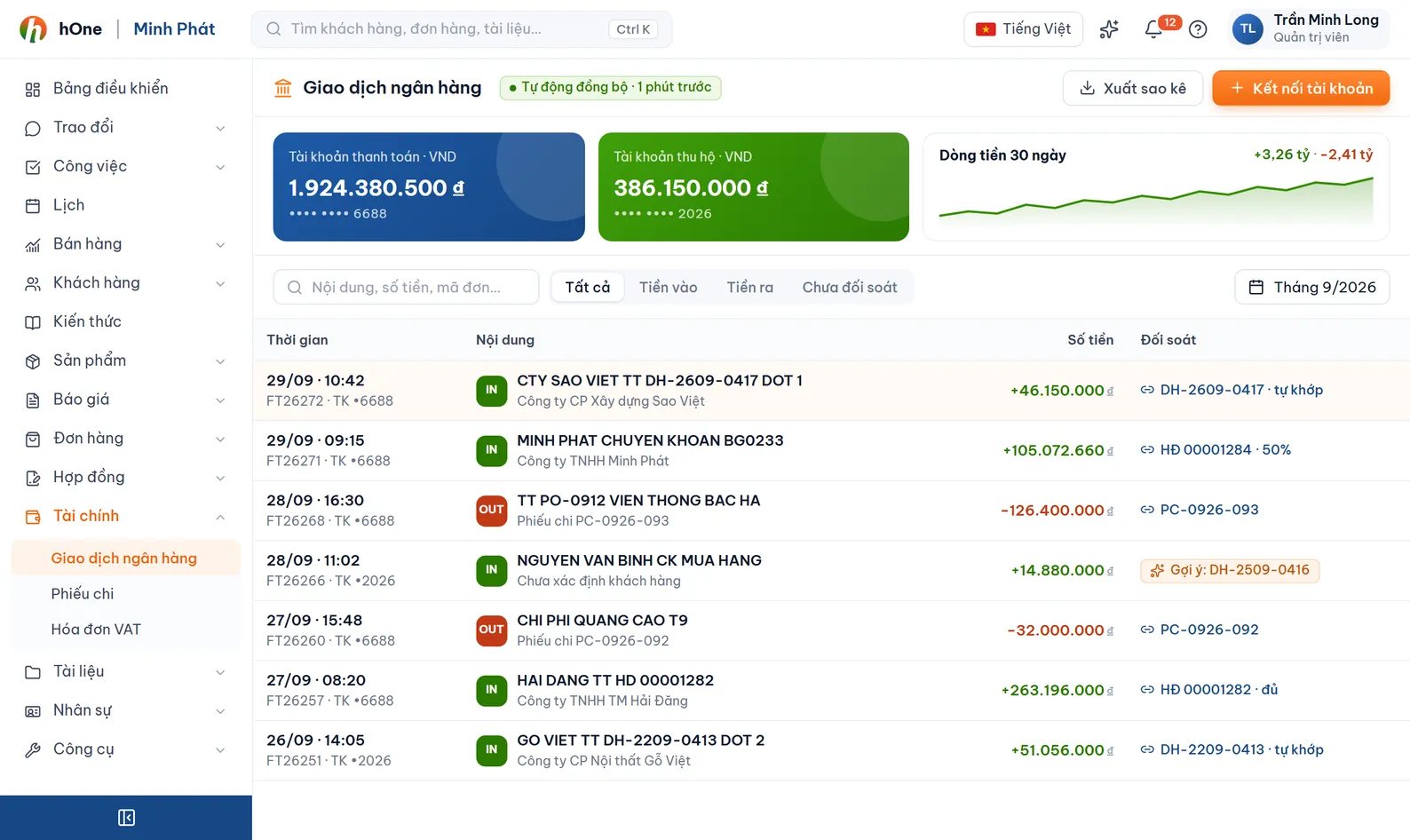
Every payment into and out of your company bank accounts sits in one ledger with its source, category, status and linked documents. Your accountant filters, categorises and reconciles here instead of cross-checking several Excel files.
At month end an accountant gathers statements from each bank, retypes them into Excel, then hunts for which payment belongs to which customer and which already has a voucher or invoice.
hOne brings transactions from statements, hSMS, SePay or manual entry into one list. Each goes through Pending, Confirmed and Reconciled, with an income or expense category and links to payment vouchers and VAT invoices.
Ready-made views include Unreconciled, Uncategorised, Money in, Money out and This month. Filter by status, account or date range, then Save view to reuse it.
The footer always shows Money in, Money out and Net for the current filter. Excel export follows the same filter.
Rules assign a category by keyword or regex in the description, amount range, bank account and priority. A test button runs sample text.
Select rows, then Categorise, Confirm, Reconcile or Bulk edit. The number in brackets shows how many selected transactions qualify.
The ⋮ menu has Find duplicate transactions for a date range and account. Merge one pair or all, and the primary record is kept.
In a transaction, the Links section attaches Payment vouchers and VAT invoices. The list shows a Linked documents column, for example 1 voucher · 1 VAT invoice.
Add company accounts in Finance settings, Bank accounts tab. Every transaction belongs to one account.
Import a statement file, let hSMS push incoming money, or click Add transaction. The source is recorded: Manual, Bank import, SePay or hSMS.
Assign categories (by rule or in bulk), then Confirm each transaction you have checked.
Click Reconcile once it matches your books; link payment vouchers and VAT invoices so you know which document the money belongs to.
Lan is the accountant at Công ty ABC and opens the ledger before closing the week.
Four ways: import a statement file, the hSMS phone app reading your bank balance-change SMS, a SePay connection if you already use it, or manual entry.
Pending transactions can be edited directly. A reconciled one needs Unreconcile first, so figures you have already closed are not changed by accident.
Statement import skips transactions with the same code. hSMS checks by message id and cross-checks SePay (same amount and account within 5 minutes). For anything else use Find duplicate transactions to merge.
Yes. The ⋮ menu has Export Excel, and the file follows the filter and search active on the list.
No. hOne focuses on the cash ledger and reconciliation today. A category can carry a Vietnamese chart-of-accounts code for reference, while journal entries and the general ledger stay in your accounting software.