Connect an AutoSign server
The Signing config page takes the server address and an API token, an Active switch, and a Test connection button showing version and status.


hOne connects to your AutoSign PDF server to digitally sign PDF files straight from contracts, orders, quotes, documents or tasks. People with signing rights sign immediately; others send a signing request to an authorised signer. Every signing is logged.
The director holds the digital certificate. Each time, staff download the PDF, send it over, wait for the signature, then send it back and attach it to the contract.
An admin sets up the AutoSign server and Signing profiles and decides who may sign and who may see which profile. Staff click Sign at the document; hOne uploads the file to the signing server, waits for the result and stores the signed copy.
The Signing config page takes the server address and an API token, an Active switch, and a Test connection button showing version and status.
Each profile has a name (for example Director signature, Accountant signature) and a signature picked from the server list; mark one as default. One company can use several signatures.
Each profile has Sign access (who signs directly) and View access (who sees it when requesting). Each is All, Selected users or Selected roles.
A sign button exists in Documents, Contracts, Orders, Quotations and Tasks. The dialog runs 3 steps: Prepare, Upload, Complete. PDF files are supported.
Without signing rights click Request signing: choose the signer, priority Normal or Urgent, a due date and notes.
The Signed documents page lists file, requester, signer and status. Preview, download, retry a failed one or add it to Documents; the activity history records each step.
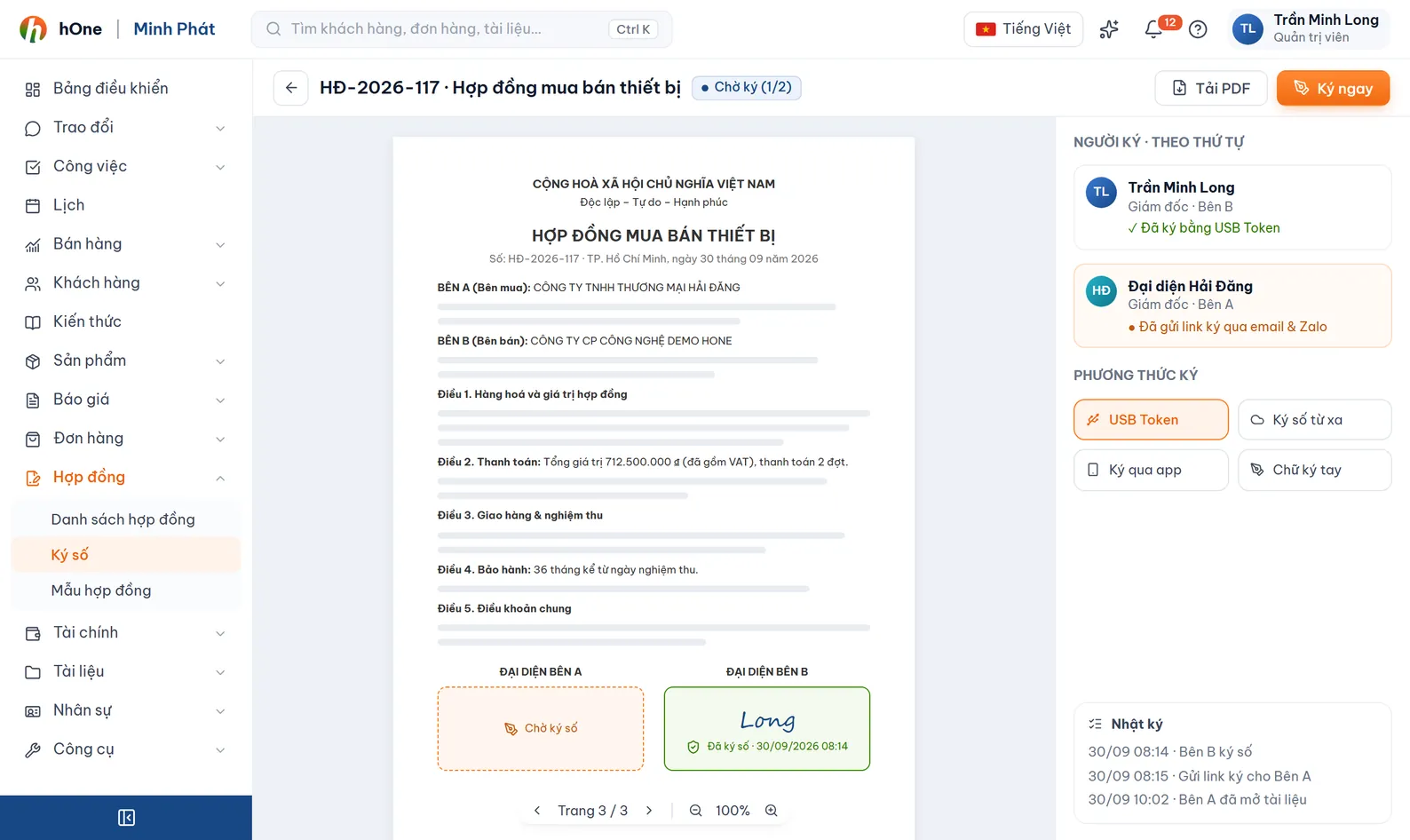
An admin enters the server address and API token, then clicks Test connection.
Create a Signing profile, pick the certificate on the server, set who can sign and who can view.
Open a contract, order, quote or PDF document and click Sign or Request signing.
The signed file appears in Signed documents; download it or add it to Documents, and open the activity history when needed.
The contract PDF has been approved and waits for the director signature before going to the customer.
No. The signature lives on your company AutoSign PDF server; hOne sends files there to be signed and receives the signed copy. You need an AutoSign server, an API token and your own company certificate.
hOne signs PDF files today. For Word or Excel files, export to PDF before signing.
E-invoices are signed and issued through EasyInvoice on the E-invoices page. Digital signing here is for PDF documents such as contracts, orders and quotes.
Admins see everything. A user limited to their own documents only sees the ones they are involved in.
The document shows Failed and you retry from the Signed documents page. The activity history tells you which step failed, for example the signing server was unreachable.