Vouchers by source
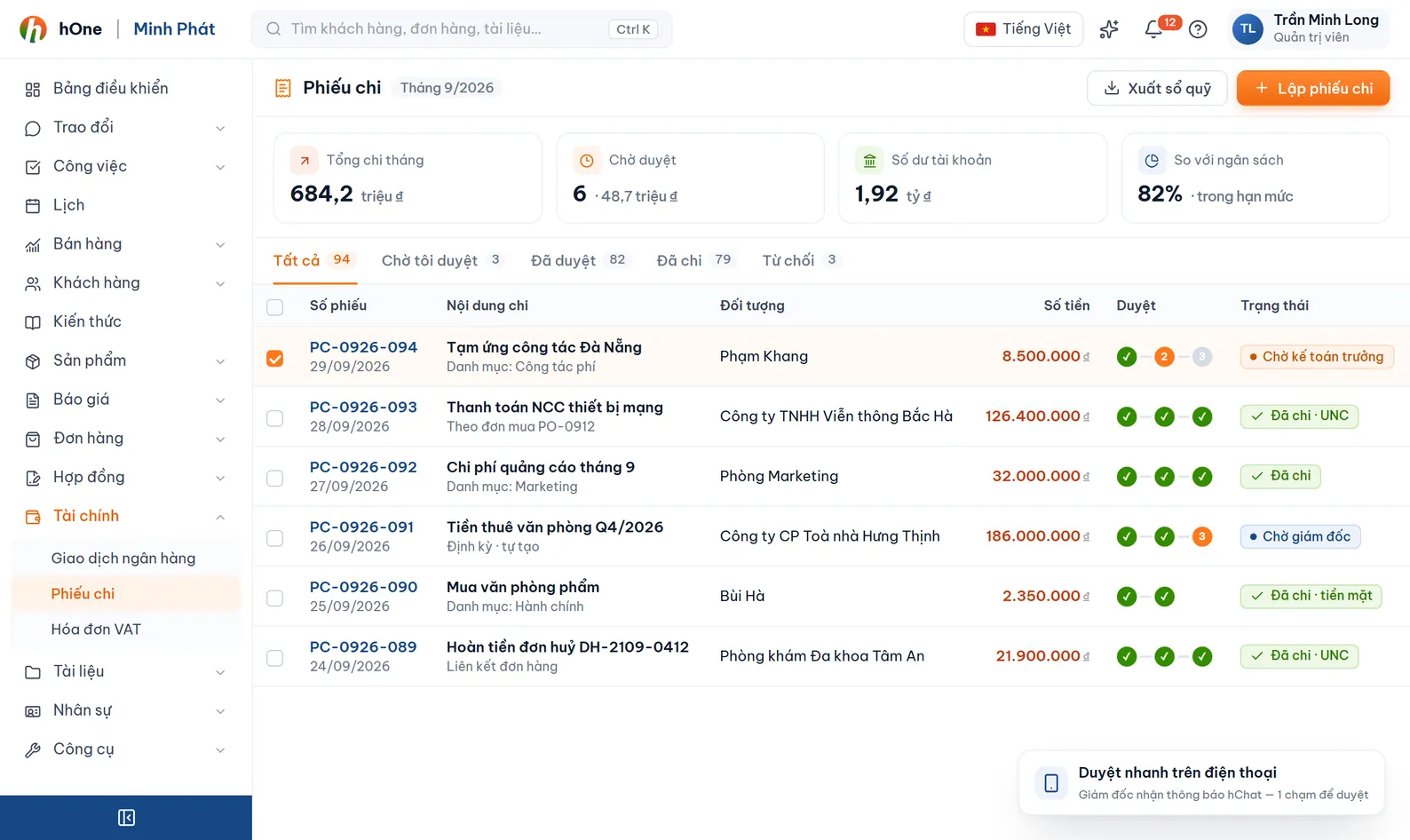
Create a voucher from an Order, Contract, Project, Business trip or on its own. The form shows Total value, Paid and Remaining, and warns if you over-collect.


A payment voucher records each amount a customer pays or the company spends, tied to an order, contract, project or standing alone. It carries a VietQR code for customers to scan, exports to PDF, goes out by email and updates its status when a bank transaction is linked.
A contract has several payment instalments, but collection is noted in chat messages and notebooks. At period end nobody is sure which order still owes money and which was overpaid.
You create the voucher from the order or contract itself and hOne pre-fills the customer, remaining amount and company account. A voucher goes from Draft to Confirmed; once a bank transaction is linked it becomes Partially paid or Paid.
Create a voucher from an Order, Contract, Project, Business trip or on its own. The form shows Total value, Paid and Remaining, and warns if you over-collect.
Each voucher has an instalment number and description, a due date and a payment date, so you can follow a contract collection schedule.
The Payment QR button builds a QR from the company default bank account for customers to scan and transfer.
Pick a print template to export a PDF, or choose recipients and an email template, preview and send. Sent-email history stays on the voucher.
Attach one or more bank transactions with an Allocated amount. Fully allocated means Paid, otherwise Partially paid. You can also link VAT invoices of the same customer.
Only Draft vouchers can be edited or deleted. Cancelling requires a reason, and every change goes to the activity history.
Click create voucher inside the order or contract, or from the Payment vouchers page; pick receipt or payment type and the source.
Choose a company account (account number and bank are filled in), method, date, instalment and detail lines.
Show the VietQR code, export a PDF or email the voucher so the customer can transfer.
Confirm the voucher and link the matching bank transaction; the voucher status and the order payment progress update.
The Công ty ABC contract has 3 payment instalments and Minh is responsible for collection.
The company default bank account in Finance settings. Set one default account and fill in its bank code once, and you can generate a QR for any voucher.
Yes. A voucher moves from Draft to Confirmed, and the note and the confirming user are recorded.
Only Draft vouchers can be edited or deleted, so the amount of a confirmed or bank-matched voucher never changes silently. If something is wrong, Cancel it with a reason and create a new one.
No. A payment voucher records the expense; you still make the transfer through your bank.
When an order number appears in the payment text, hOne creates a receipt voucher and attaches it to the order. In other cases you link the transaction to the voucher, or use hSMS automation rules.