Approval flow per contract type
Each contract type picks the Full, Short or Custom flow, run in sequence or in parallel. Statuses run from Draft, Pending approval and Signed to Active and Expired.


Sales and purchase contracts share one list, with an approval flow per contract type, a customer link for review and replies, payment schedules and renewal reminders.
Word and PDF files live in everyone's own folder. Nobody sees which contract waits for the director's signature, which is about to expire, or which payment is due.
hOne stores the contract with its documents, addendums and related orders; sends it for approval or signing to the right person with a due date; lets the customer review it through a link with an access code; and creates payment tasks per period.
Each contract type picks the Full, Short or Custom flow, run in sequence or in parallel. Statuses run from Draft, Pending approval and Signed to Active and Expired.
Click "Send for approval / signing", pick the person, what needs doing and a due date. The "Awaiting me" view shows each person their own queue.
The customer verifies with a code emailed to them, or one you give directly, then reads the documents, accepts or rejects and leaves a note. Regenerate or revoke the link anytime.
Customer comments land in a review list: approve or reject each one, jump to the spot in the document and edit the text right there.
Click "Renew" to create a new Draft from the old contract and keep the renewal chain. Contracts with auto-renew get a draft prepared; expiry notices go out within working hours.
Split a contract into instalments and see whether they match the total. For electricity, water or rent, each period creates a task for the owner; after paying, click "Paid" to create a draft payment voucher.
Choose "Import from scan / image" and AI fills the contract number, signing, effective and end dates for you to check and save.
Documents and addendums have their own types, templates and numbering. Attach quotations, proposals, orders and VAT invoices; child contracts sit under a master contract.
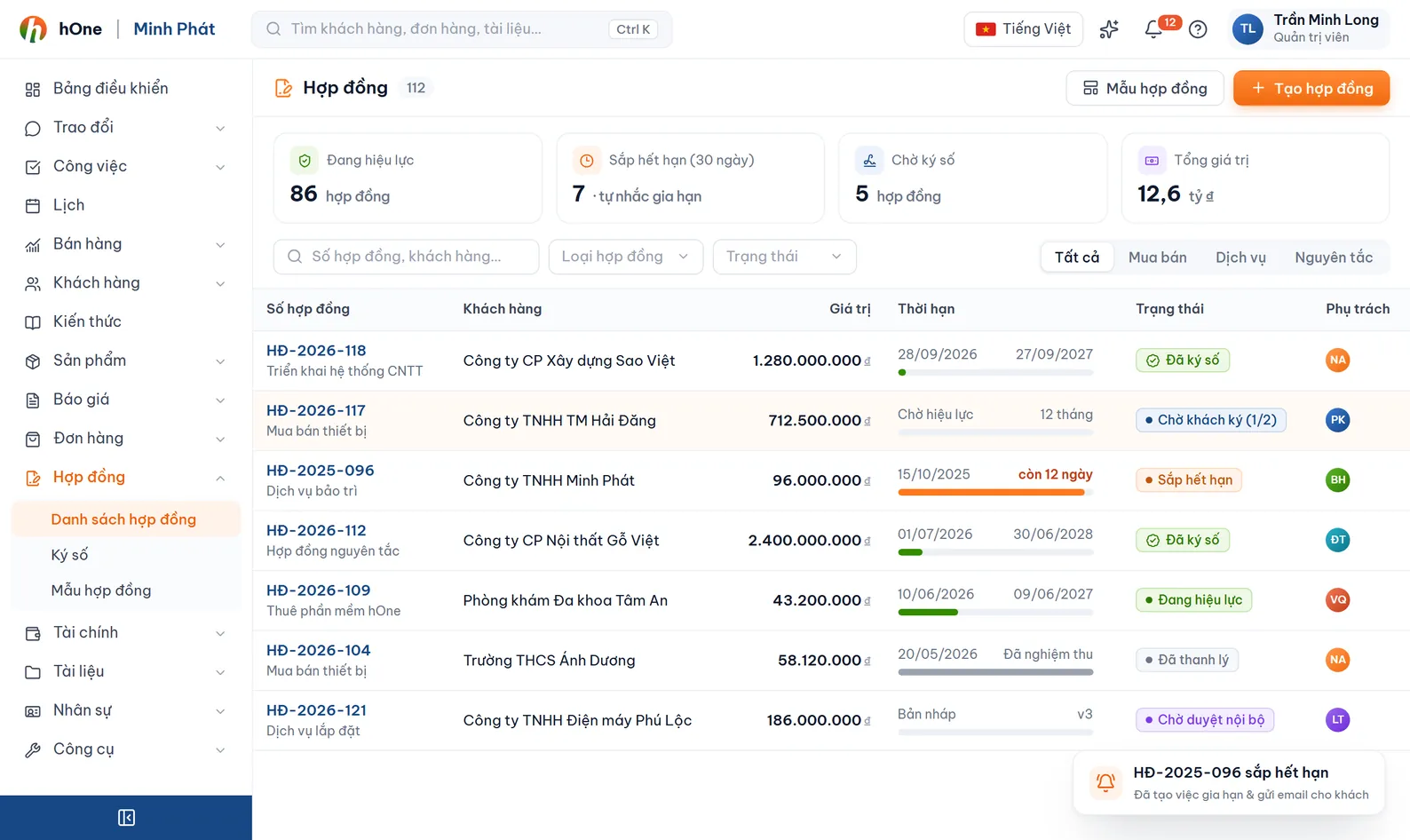
Click "Create contract" (sales) or "Create purchase contract", draft from a template, import from a scan, or use "Quick subscription" for recurring payments.
Send for approval / signing to the people with authority and see who holds the contract and the due date.
Email or share the link; the customer replies, you review comments, set the signing date and move the contract to Signed, then Active.
Use the Payment periods page, handle due periods and renew before the contract lapses.
Minh drafts a 12-month maintenance contract. Lan approves the price, the director signs and accounting splits payment into two instalments.
On the link the customer reads the documents, accepts or rejects, and leaves notes and comments. If you need certificate-based digital signing, use the Digital signing module on the contract file.
No account needed. The customer enters an email that belongs to the contract to receive a verification code, or you read them the access code shown in the share dialog. Links can expire or stay open.
For contracts with auto-renew, hOne prepares a draft of the new contract for you to review; it never signs or sends it to the customer for you. The admin picks the run hour in Contract settings, tab General settings.
Yes. Contract settings lets you edit Contract types, Approval flows, Roles, Statuses, contract and document numbering, and status transition rules. It needs the contract-management permission.
Yes, two reports in the Reports area: Contract summary and Contracts expiring / renewals, plus the contract Overview page.