List with saved views
Built-in views include Mine, Pending approval, Waiting for my price approval, Sent without reply, Expiring soon and Accepted this month. Filter by date range and sort by value.


Build quotations with automatic numbers, grouped line items and clear VAT. Discounts above the limit go for approval; the customer gets a PDF or link and presses Accept, Reject or Request change, then you turn it into an order.
Each salesperson has their own template, quote numbers are typed by hand and discounts are improvised. Once the PDF is emailed it is lost: did they open it, agree, and who had to approve the price?
The quotation pulls products from the catalog, computes VAT and discount, and numbers itself by your rule. Discounts over the limit run through approval automatically. The customer opens the public link or PDF and replies; the status updates in your list.
Built-in views include Mine, Pending approval, Waiting for my price approval, Sent without reply, Expiring soon and Accepted this month. Filter by date range and sort by value.
Pick customer, contact and validity. Add lines from the catalog (search by name or SKU) or type them in, with per-line discount and VAT. Group lines and drag to reorder.
In Quotation settings set prefix, number length and reset cycle; create your own statuses; choose whether unit prices are entered before or including VAT, applied to PDF, email and public link.
Define tiers by discount % and amount, each with an action: Auto approve, Needs approval or Auto reject. Approvers can be the direct manager, team lead, a role or specific people.
Send to customer opens a form with email template, recipients, CC and PDF attachment, with preview. Sent emails are logged on the quotation.
The customer views the quotation and PDF without an account, then presses Accept, Reject (with a reason) or Request change. The link expires and you can revoke it anytime.
Select some or all lines and press Create order, with an expected delivery date. You can also create a contract or proposal from the quotation.
Assign several staff to a quotation with their own roles (Sales, Technical...). Changes are logged, and you can copy a quotation into a new one in one action.
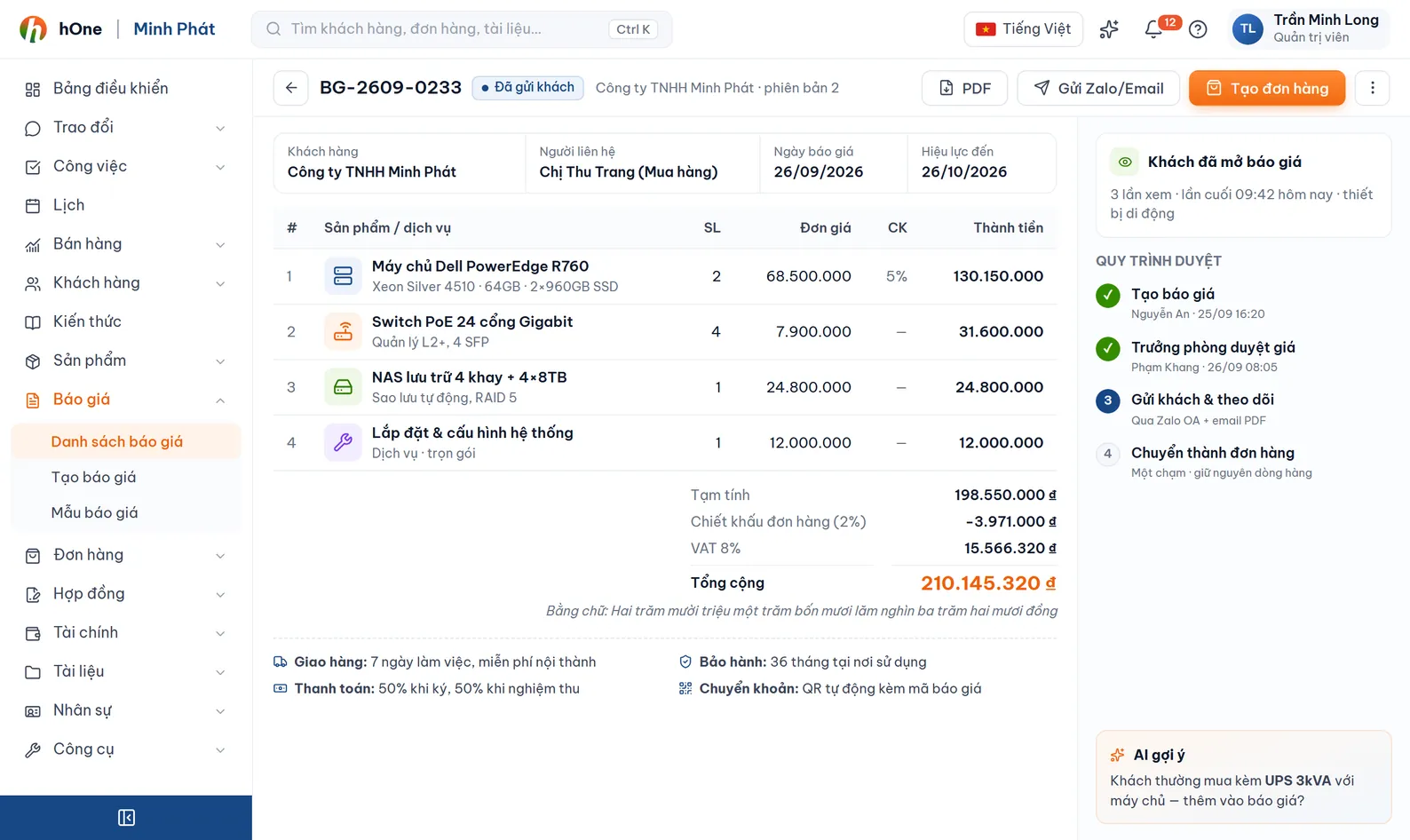
Pick the customer, add product lines, set discount and VAT, choose the PDF template.
A discount over the limit creates a discount request; the approver accepts or rejects it and can apply the new price to the quotation.
Email it with the PDF or send the public link. The customer's reply shows in the list.
When the customer agrees, create the order, contract or proposal from the same quotation.
Lan wants a 12% discount to keep the customer, above the auto-approve limit.
No. They open the public link or the PDF in the email. The link expires and you can revoke it; an expired link tells the customer to contact the sender.
Three choices: Accept, Reject (with a reason) or Request change. They can update or cancel a change request they have sent.
You define tiers by discount % and amount. A tier set to Auto approve passes immediately; Needs approval creates a request for the approver; Auto reject blocks it. Overdue requests can still be approved.
Yes, once your company has connected an inventory system. The Check stock button shows what is in or out of stock for lines with an SKU.